Garage Door Keypad Not Working: Complete Troubleshooting Guide
You type your PIN, press Enter, and nothing happens. Or the keypad doesn't light up at all. Maybe it worked this morning and now it doesn't — or it works intermittently, which is somehow more frustrating than it failing completely.
Garage door keypad problems are almost always solvable without calling a technician. This guide covers every cause of keypad failure, step-by-step fixes for all major brands (LiftMaster, Chamberlain, Genie, Craftsman, and more), what to do when DIY doesn't solve it, and what a replacement actually costs.
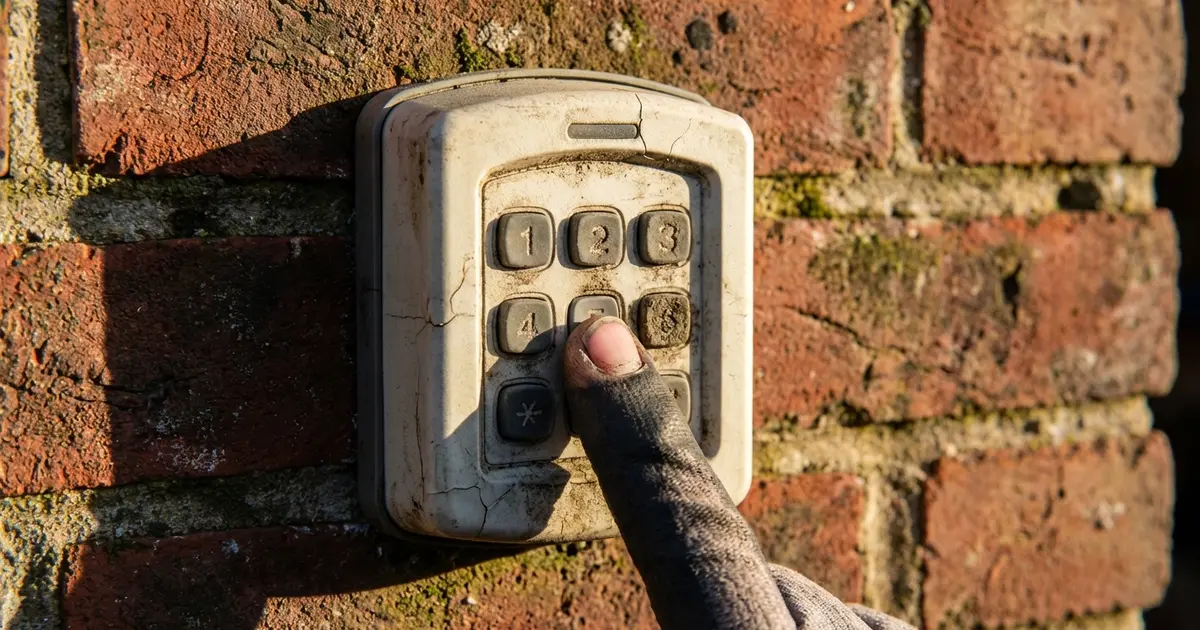
💡 Pro Tip: Replace the battery first — always. 60% of keypad failures are dead batteries. Use a brand-new 9V, not one recycled from another device. This fix takes 30 seconds.
Quick Fixes: Start Here
Before running through the full troubleshooting checklist, try these three fixes in order — they solve the majority of keypad problems in under 5 minutes:
- Replace the battery. A 9V battery is the most common keypad power source. Even a battery that "seems fine" can lack the voltage to reliably transmit the radio signal. Replace it first, always.
- Wait 30 minutes if you've been entering the wrong code repeatedly. Most keypads enter a security lockout after several failed PIN attempts. The lockout auto-expires.
- Reprogram the keypad. Locate the "Learn" button on your opener motor unit (the box on the ceiling), press it briefly, then enter your PIN on the keypad and press Enter/the main button. A single "click" from the opener confirms success.
If none of those work, continue through the detailed troubleshooting below.
Fix 1: Dead or Weak Battery
Battery failure is responsible for the majority of keypad problems. It's the most common cause — and the most overlooked, because a weak battery often shows no obvious signs until it fails completely.
Signs It's a Battery Issue
- Keypad doesn't light up or backlight is dim
- Keypad worked until recently, with no other changes
- Keypad works intermittently — sometimes fine, sometimes not
- Performance degrades in cold weather (cold reduces battery output significantly)
Battery Types by Keypad Model
| Keypad Brand / Model | Battery Type | Approximate Life |
|---|---|---|
| LiftMaster 976LM, 877MAX, 878MAX | 9V alkaline | 1–2 years |
| Chamberlain KLIK1U, KLIK2U | 9V alkaline | 1–2 years |
| Genie GK-R (wireless) | 9V alkaline or 12V A23 | 1–2 years |
| Linear MCS308911 | 9V alkaline | 1–2 years |
| Craftsman 139.53879 (older) | 9V alkaline | 1–2 years |
| Skylink / Compatible Universal | 9V or 4xAA (varies by model) | 1–3 years |
How to Replace the Battery
- Locate the battery access panel — usually on the back of the keypad housing, or inside the keypad if it hinges open. Some models have a small slot on the side that you press with a coin or screwdriver to release.
- Remove the old battery and dispose of it properly.
- Insert a fresh alkaline battery of the correct type. Rechargeable batteries are not recommended — they typically run at slightly lower voltage (1.2V NiMH vs 1.5V alkaline) which can cause unreliable operation.
- Close the battery compartment and test the keypad.
Important: If the old battery has leaked (white or greenish residue in the compartment), clean the terminals with a cotton swab dipped in white vinegar before inserting a new battery. Corrosion on the contacts can prevent proper electrical connection even with a fresh battery installed.
Battery Life Tips
- Change the battery every 12 months regardless of whether the keypad seems to be working — this prevents unexpected failures
- Use name-brand alkaline batteries (Duracell, Energizer) — cheap generic batteries often have significantly shorter real-world life
- If you live in a very cold climate, be aware that batteries lose efficiency below 32°F — a keypad that works in summer may struggle in winter with the same battery
Fix 2: Keypad Lockout Mode
Nearly every modern garage door keypad has a built-in security lockout that activates after a set number of consecutive incorrect PIN entries. This prevents someone from running through PIN combinations to break in.
How Lockout Works
After 5–10 incorrect PIN attempts (varies by brand), the keypad locks itself out for a period — typically 15–30 minutes. During lockout, the keypad may:
- Light up normally but refuse to send a signal
- Display a blinking LED or error indicator
- Accept button presses but make no audible or physical response
What to Do
If you know the lockout just triggered: Simply wait 30 minutes, then enter the correct PIN carefully. Don't keep pressing buttons — this may extend or reset the lockout timer on some models.
LiftMaster/Chamberlain vacation lock: These brands have a separate "vacation lock" that can be accidentally activated by pressing 6 + Enter on the keypad. Press 6 + Enter again to toggle it off. When vacation lock is active, the keypad appears to work normally but sends no signal to the opener.
If you've forgotten your PIN: You'll need to perform a full reset. See the reprogramming section below for instructions.
✅ Key Takeaway: If reprogramming doesn't work within 30 seconds of pressing the Learn button, the signal may not be reaching the opener. Check the battery, try closer range, and rule out radio interference from LED bulbs in the opener.
Fix 3: Reprogramming the Keypad
If the keypad has power but the door doesn't respond, the keypad may have lost its programming. This can happen after a power surge, when opener batteries are replaced, or seemingly on its own on older units. Reprogramming takes 2–3 minutes.
General Reprogramming Steps (Works for Most Brands)
- Locate the "Learn" button on your opener motor unit. This is the box mounted on the ceiling of your garage. The Learn button is usually on the back or side panel, next to a small LED indicator. It may be covered by a light lens that you need to remove first.
- Press the Learn button briefly (1–2 seconds) until the indicator LED lights up or blinks. You now have approximately 30 seconds to complete the pairing.
- Go to the keypad and enter your desired PIN (4–8 digits depending on your system).
- Press the Enter, #, or main activation button on the keypad.
- Confirm programming — your opener should click, flash its light, or briefly move the door (depends on model) to indicate the PIN was accepted. If nothing happens, repeat from step 2 (the 30-second window may have expired).
- Test: Enter your PIN and press the activation button. The door should open.
Brand-Specific Learn Button Colors
| Brand | Learn Button Color | LED After Press |
|---|---|---|
| LiftMaster (Security+ 2.0) | Yellow | Solid yellow for 30 sec |
| LiftMaster (older Security+) | Purple | Solid purple for 30 sec |
| Chamberlain MyQ | Yellow or orange | Solid for 30 sec |
| Genie Intellicode | Red or black | Blinks or holds steady |
| Craftsman (Chamberlain platform) | Yellow or green | Solid for 30 sec |
| Linear / Mega Code | Green | Solid green for 30 sec |
Note: Holding the Learn button for 6–10 seconds (until the LED turns off) erases ALL programmed remotes and keypads. This is a factory reset — use it only when you want to clear everything and start over. You'll need to reprogram all remotes and keypads afterward.
Fix 4: Keypad Lights Up But Door Doesn't Move
If the keypad accepts your PIN (lights up, beeps, or shows activity) but the door doesn't move, the keypad's radio signal isn't reaching the opener — or the opener is receiving but ignoring it. Work through these causes:
Check the Opener's Wall Button
First, press the wall-mounted button inside the garage. If the door operates from the wall button but not the keypad or remotes, the issue is either the keypad itself or radio signal. If the wall button also doesn't work, the problem is with the opener — not the keypad.
Range and Signal Issues
Keypads have a radio range of roughly 50–100 feet under ideal conditions. Metal garage doors, concrete walls, and nearby electronics all reduce effective range. If your keypad is mounted far from the opener, test it from directly in front of the garage door to rule out a range/signal issue.
Also check: some openers have a frequency setting. If someone recently swapped your opener or had service done, verify the keypad and opener are on the same frequency (315 MHz or 390 MHz).
Opener in Lock Mode
Many wall-mounted control panels have a "lock" feature that disables all remote signals — it's designed to prevent someone from operating the door while you're away. Check the wall panel for a lock button or indicator LED. Press and hold it for 2–3 seconds to toggle lock mode off.
Frequency Interference
LED bulbs installed in the garage ceiling light socket of the opener are a surprisingly common source of radio interference. Some LED bulbs emit RF noise on the same frequencies garage openers use (315 MHz, 390 MHz). Try removing the LED bulb from the opener's built-in light socket and replace it with an incandescent or a "garage door opener compatible" LED. Several homeowners have solved inexplicable remote/keypad problems this way.
Fix 5: Vacation Lock or Wall Panel Lock
Most modern garage door systems include a vacation lock or security lock mode that disables all wireless operation (remotes, keypads) while still allowing the door to be operated from the wired wall button. This is great for when you're traveling — but accidentally activating it is a common source of "my keypad suddenly stopped working" calls.
LiftMaster / Chamberlain
- Wall button lock: Press and hold the Lock button on the 880LM or 889LM wall panel for 2 seconds. The lock LED will turn off when disabled.
- Keypad vacation lock: Press 6, then Enter/# on the keypad to toggle vacation lock on or off. When active, the keypad behaves normally but transmits no signal.
Genie
Genie's wireless wall console has a lock mode toggled by pressing and holding the lock button for 3 seconds. The LED turns red when locked.
Craftsman
Craftsman openers using the Chamberlain platform follow the same procedure as LiftMaster. For older Craftsman units, consult the manual — these may have a physical DIP switch on the motor unit that enables/disables remote operation.
Fix 7: Weather and Moisture Damage
Outdoor keypads are rated for weather resistance, but not weatherproof. Water infiltration — particularly from rain driven sideways or condensation — can cause corrosion, short circuits, and intermittent failures.
Signs of Weather Damage
- Problems worsen or appear after heavy rain
- Visible corrosion on battery contacts or internal contacts
- Keypad works normally indoors but fails in cold or damp conditions
- Keypad has foggy or cloudy face (moisture trapped under the cover)
What to Do
- Remove the keypad from the wall and open it up (remove screws or snap clips).
- Inspect for moisture, corrosion, or water staining on the circuit board.
- If caught early, remove the battery and allow the keypad to dry completely in a warm area for 24–48 hours before testing.
- Clean any visible corrosion with a cotton swab and white vinegar, followed by a clean dry swab.
- If the circuit board has significant corrosion or damage, replacement is the recommended path.
Preventing Future Moisture Issues
Apply a thin bead of clear silicone sealant around the perimeter of the keypad housing where it meets the wall. This keeps driving rain from infiltrating the back of the unit. Also ensure the keypad is mounted vertically (not tilted) so water naturally drains away rather than pooling at the bottom edge.
Fix 8: Radio Frequency Interference
Garage door openers operate on either 315 MHz or 390 MHz radio frequencies. These frequencies can be disrupted by nearby transmitters, new electronics in the neighborhood, or even specific types of LED lighting.
Common Sources of Interference
- LED light bulbs in the opener: Many homeowners discover that installing "smart" LED bulbs or non-compatible LEDs in their garage opener's built-in light socket causes remote and keypad interference. Replace with an incandescent or a bulb specifically labeled "garage door opener compatible."
- Neighbor's new opener: If a neighbor recently installed a garage door opener of the same frequency, there can be conflicts. Modern rolling-code systems are designed to prevent this, but older fixed-code systems are susceptible.
- New electronics: Certain consumer electronics — some baby monitors, wireless routers, cordless phones — can emit interference at garage door frequencies.
- Military and government installations: Homes near certain military bases, airports, or broadcast towers occasionally experience frequency interference that affects garage openers. If this is suspected, contact your opener manufacturer's support — they have guidance for this situation.
Testing for Interference
If the keypad works from directly in front of the door but not from the normal distance, and the battery is fresh, interference is the likely cause. Try testing at different times of day — interference sources aren't always constant. Also try temporarily unplugging any nearby electronics to see if signal quality improves.
Brand-Specific Troubleshooting and Programming
LiftMaster Keypads (877MAX, 878MAX, 976LM)
LiftMaster keypads use Security+ or Security+ 2.0 rolling code technology. To program:
- On the opener motor unit, press and release the yellow Learn button (1–2 seconds).
- Within 30 seconds, enter a 4-digit PIN on the keypad and press Enter.
- The opener light should flash twice to confirm.
877MAX vacation lock: Press and hold * and # together for 3 seconds to toggle. Indicator LED will flash when enabled.
Chamberlain Keypads (KLIK2U, KLIK1U)
Chamberlain shares its platform with LiftMaster — the programming procedure is identical. For MyQ-enabled openers, the PIN can also be managed via the MyQ app.
Genie Keypads (GK-R, GWKP)
Genie uses Intellicode rolling code technology. Programming steps:
- Press the Program button on the opener (may be labeled SRT or "Learn").
- Within 30 seconds, enter your 4-digit PIN on the keypad.
- Press the # button, then press and hold the 0 button until the opener motor activates (indicates successful programming).
Craftsman Keypads (Newer Models)
Most post-2010 Craftsman openers are built on the Chamberlain platform and use the same programming procedure as Chamberlain/LiftMaster. For pre-2010 models, check the manual — many use a different procedure involving DIP switches.
Linear / GTO / Multi-Code
Linear keypads use MegaCode technology. Press the Learn button on the motor unit until the LED turns on, enter your PIN on the keypad, and press #. Confirm the door activates briefly.
Replacement Keypad Costs
When troubleshooting fails or the keypad is simply worn out, replacement is usually the most cost-effective path — and one of the more DIY-accessible garage door repairs.
| Keypad Model | Type | Approximate Cost |
|---|---|---|
| LiftMaster 877MAX | OEM wireless (Security+ 2.0) | $40–$55 |
| LiftMaster 976LM | OEM wireless (Security+) | $30–$45 |
| Chamberlain KLIK2U | Universal compatible | $25–$40 |
| Genie GK-R | OEM wireless (Intellicode) | $30–$50 |
| Linear MCS308911 | OEM wireless (MegaCode) | $30–$45 |
| Skylink KP-101 | Universal compatible | $20–$35 |
| Overhead Door OWKP | OEM wireless | $35–$55 |
Professional Service Costs
| Service | DIY Cost | Professional Cost |
|---|---|---|
| Keypad programming only | $0 | $75–$125 (service call) |
| Keypad replacement + programming | $20–$55 (parts) | $95–$175 |
| Opener receiver board replacement | $50–$120 (parts) | $150–$275 |
Regional Cost Variation
| Region | Service Call Cost | Keypad Replacement (Installed) |
|---|---|---|
| Northeast (NY, MA, CT) | $100–$150 | $145–$200 |
| Southeast (FL, TX, GA) | $75–$125 | $100–$165 |
| Midwest (IL, OH, MN) | $80–$130 | $110–$175 |
| West Coast (CA, OR, WA) | $95–$155 | $130–$195 |
| Mountain / Southwest (CO, AZ, NV) | $80–$140 | $110–$185 |
DIY vs Calling a Professional
✅ DIY — Safe and Straightforward
- Replacing the battery
- Waiting out a lockout period
- Reprogramming the keypad using the Learn button procedure
- Toggling vacation lock mode
- Cleaning the keypad contacts and lens
- Replacing the keypad unit (basic mounting and programming)
- Swapping the opener light bulb to fix interference
⚠️ Call a Professional When
- Keypad programming works but the opener doesn't respond to any wireless signal (remote, keypad) — this suggests a failed receiver board inside the opener, which requires opener-level repair or replacement
- Multiple components stopped working simultaneously (keypad AND remotes) — a power surge may have damaged the opener's logic board
- The opener is more than 15 years old and having multiple problems — a full opener replacement may be more cost-effective than continued repairs
- You've replaced the keypad and the new one doesn't work either — the issue is with the opener, not the keypad
For opener-level decisions, see our opener repair vs replace guide. For safety sensor problems that often accompany opener issues, see our safety sensor troubleshooting guide.
Buying a Replacement Keypad: What to Know
When buying a replacement keypad, compatibility with your opener's frequency and coding protocol is the critical factor.
Option 1: OEM (Brand-Matched) Keypad
Buying a keypad from your opener's manufacturer guarantees compatibility. Consult your opener's model number (on a label on the motor unit) and look up the compatible keypad on the manufacturer's website or at any major home improvement store.
Option 2: Universal Compatible Keypads
Several keypads are designed to work across multiple brands:
- Chamberlain KLIK2U: Compatible with most LiftMaster, Chamberlain, Craftsman, and some Linear openers
- Skylink KP-101: Broad compatibility including some older fixed-code systems
- Linear Delta-3 DNT00089: Works with Linear, Multi-Code, and GTO systems
Before buying a universal keypad, verify that it supports your opener's specific protocol (rolling code vs. fixed code, and which rolling code standard — Security+ 2.0, Intellicode, MegaCode, etc.).
What to Check Before Buying
- Your opener's brand and model number
- Whether your opener uses rolling code (most post-1996 openers) or fixed code (older)
- The radio frequency: 315 MHz or 390 MHz (listed in your opener manual)
- Whether you want a backlit keypad (helpful for night use)
- Whether the keypad cover is required (keeps out rain — important for exposed installations)
Find a Garage Door Pro Near You
If your keypad issue turns out to be an opener-level problem, or you'd rather have a tech handle the repair, local professionals can diagnose and fix most keypad and opener issues on a single service call.
- Find trusted garage door pros in Houston
- Find trusted garage door pros in Denver
- Find trusted garage door pros in Miami
- Find trusted garage door pros in Minneapolis
- Find trusted garage door pros in Portland
Or browse all cities to find technicians in your area.
Frequently Asked Questions
Why is my garage door keypad not working after I replaced the battery?
A fresh battery fixes most keypad problems, but if the door still doesn't respond after replacement, the most likely causes are: (1) The keypad needs to be reprogrammed to the opener — batteries can sometimes wipe a keypad's memory, especially on older units. (2) The keypad may have been triggered into lockout mode by too many incorrect PIN attempts — wait 30 minutes, then try again. (3) The keypad's internal contacts may be corroded from battery acid leakage — check for white or greenish residue inside the battery compartment and clean it with a cotton swab dipped in white vinegar. (4) The opener itself may have lost the keypad from its memory — hold the "Learn" button on your opener motor unit until the LED blinks, then re-enter your PIN on the keypad to reprogram.
How do I reset my garage door keypad PIN?
The reset process varies by brand, but the general procedure is: (1) Locate the "Learn" button on your opener motor unit — it's typically on the back or side of the unit hanging from your ceiling, and the LED next to it is your guide. (2) Press and hold "Learn" until the LED turns off (about 6–10 seconds) — this erases ALL codes including remotes, so make sure you're prepared to reprogram everything. (3) To set a new PIN, press "Learn" briefly (1–2 seconds) until the LED lights up, then go to your keypad, enter your new 4-digit PIN, and press "Enter" or the main button. The opener should click or flash to confirm. For LiftMaster/Chamberlain MyQ-equipped units, the pin can also be changed via the app. Consult your specific model's manual for brand-specific variations.
Why does my garage door keypad light up but the door doesn't move?
If the keypad backlights and accepts button presses but the door doesn't open, the keypad's radio signal is not reaching the opener. Common causes: (1) The keypad is out of range — most keypads work within 100 feet of the opener, but metal structures, concrete walls, and interference from nearby electronics can reduce effective range. Try operating from just outside the garage. (2) The opener is in "lock" or "vacation" mode — wall control panels have a lock button that disables all remote signals. Check the wall button panel for a lock indicator. (3) The keypad needs reprogramming — it has power but isn't paired to your opener. Follow the Learn button programming procedure. (4) Radio frequency interference from a new neighbor's garage opener, LED lights, or nearby electronics — try eliminating potential interference sources. (5) The opener's receiver board may have failed — if remotes also stopped working simultaneously, the receiver is the likely culprit.
How much does it cost to replace a garage door keypad?
Replacement keypads typically cost $20–$55 for the part itself, depending on brand and whether it's OEM (original brand) or a compatible aftermarket unit. OEM keypads from LiftMaster, Chamberlain, Genie, and Linear typically cost $30–$50. Compatible keypads like the Clicker brand work with most major openers and cost $20–$35. If you hire a technician to replace and program the keypad, add $75–$125 for the service call, bringing total professional cost to $95–$175 in most US markets. Keypad replacement is one of the easier DIY garage door tasks — installation typically takes 15–20 minutes and requires no tools.
Why does my garage door keypad work sometimes but not others?
Intermittent keypad operation is usually caused by one of these issues: (1) Weak battery — the keypad works when battery voltage is sufficient to transmit but fails when the signal drops below the opener's reception threshold. Replace the battery even if it seems to have "enough" charge. (2) Sunlight and temperature extremes — direct sun on the keypad can cause it to malfunction; extreme cold can reduce battery output significantly. (3) Dirty or worn keypads — buttons that are sticking or worn can make intermittent contact. Try pressing each button firmly to see if the problem is button-specific. (4) Interference — nearby garage door openers, new LED light bulbs in the garage ceiling, or a neighbor's new equipment can cause intermittent interference on the 315 MHz or 390 MHz frequency your opener uses. (5) Range borderline — if the keypad is mounted far from the opener, signal strength may be marginal and work inconsistently.
Can I use any keypad with my garage door opener?
Not quite — keypads need to be compatible with your opener's radio frequency and coding system. Most modern openers (made after 1993) use either 315 MHz or 390 MHz frequencies. Rolling code technology (used by most openers since the mid-1990s) requires a keypad that supports the same rolling code protocol — MyQ, Security+ 2.0 (LiftMaster/Chamberlain), Intellicode (Genie), or similar. Universal keypads like the Clicker KLIK2U or Linear MegaCode are designed to work across brands and are a reliable choice if you don't want to buy brand-specific. Check your opener's model number and verify compatibility before purchasing. Keypads designed for older fixed-code openers will not work with rolling-code systems and vice versa.
My garage door keypad is locked out — how do I unlock it?
Most keypads have a built-in security lockout that activates after 5–10 consecutive incorrect PIN attempts, preventing brute-force entry. The lockout typically expires automatically after 15–30 minutes — just wait, then try the correct PIN. If the lockout persists, you can perform a factory reset on the keypad (usually by pressing and holding the "#" and "*" buttons simultaneously for 5–10 seconds, though this varies by brand). You'll then need to reprogram the keypad to the opener. LiftMaster and Chamberlain keypads also have a "vacation lock" feature that can be toggled by pressing 6 + Enter on the keypad — if someone accidentally activated this, it disables the keypad for security. Try pressing 6 + Enter to toggle it off.