Smart Garage Door Openers: Complete Buyer's Guide [2026]
A smart garage door opener lets you open, close, and monitor your garage door from anywhere using your smartphone — and get instant alerts when it's left open. For many homeowners, it's one of the most practical smart home upgrades available: the use case is concrete, the setup is straightforward, and the cost ranges from $25 (a retrofit kit for your existing opener) to $500 (a full smart opener with battery backup).
This guide covers everything you need to make the right decision: whether to retrofit your current opener or replace it, which brands and models to consider, how smart openers integrate with Alexa, Google Home, and Apple HomeKit, installation overview, and what smart features are actually useful versus marketing noise.
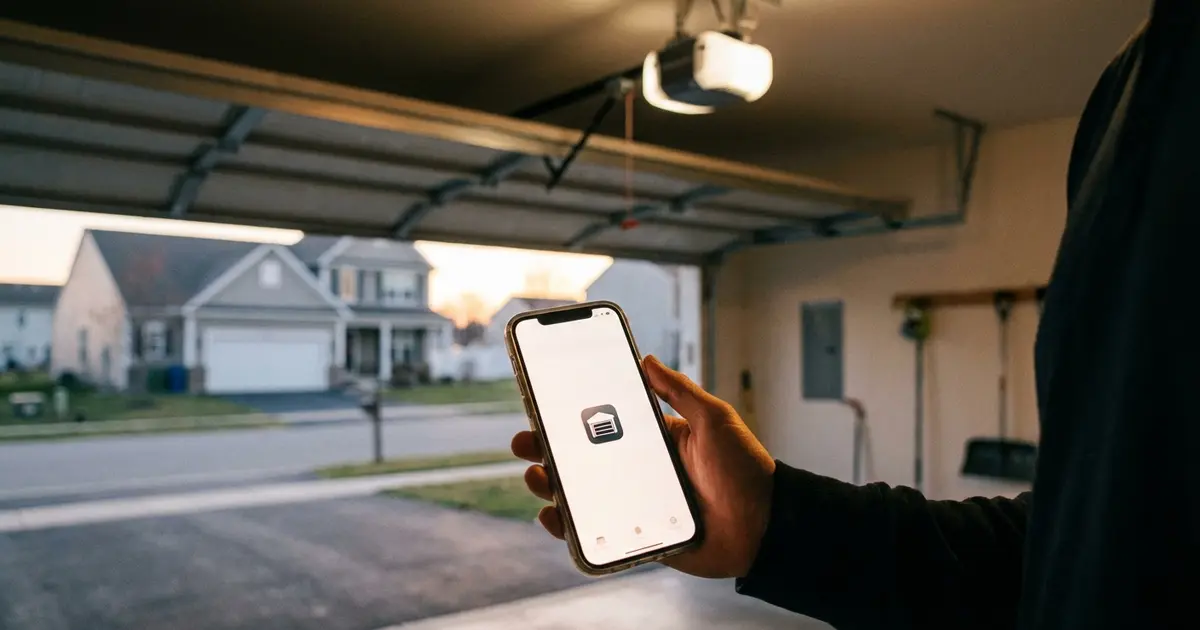
💡 Pro Tip: You don't need to replace your opener to get smart features. A $30–$80 retrofit adapter (Chamberlain MyQ, Meross, Tailwind) adds remote control, alerts, and schedules to most existing openers built after 1993.
Two Paths to a Smart Garage Door
Before anything else, understand that you have two distinct options — and which is right for you depends primarily on the age and condition of your current opener.
Path 1: Add a Smart Controller to Your Existing Opener (Retrofit)
A retrofit smart controller is a small device (roughly the size of a deck of cards) that attaches to your existing garage door opener and adds WiFi connectivity and smartphone app control. You keep your existing opener; you're just adding a "smart layer" on top of it.
Cost: $20–$150
Best if:
- Your current opener works well and is less than 15 years old
- You want the lowest-cost path to smart features
- You don't need the newest drive technology or battery backup
- Your opener is compatible with the retrofit device you're considering
Path 2: Replace the Entire Opener with a Smart Model
A full smart garage door opener is a complete replacement for your existing opener motor unit — and these days, virtually every mid-range and above opener includes built-in WiFi connectivity as a standard feature.
Cost: $150–$500+ (opener only); $300–$700+ installed by a pro
Best if:
- Your current opener is over 10–15 years old, noisy, or unreliable
- You want a quieter drive type (belt drive vs old chain drive)
- You want battery backup capability
- You want a newer motor with better energy efficiency
- Your existing opener is not compatible with retrofit devices
Best Retrofit Smart Garage Door Controllers (2026)
1. Chamberlain myQ Smart Garage Hub — Best Overall Retrofit
Price: ~$25–$50
The myQ Smart Garage Hub is the most widely compatible retrofit device available and the most trusted name in smart garage technology. It works with most Chamberlain, LiftMaster, Craftsman, and many other brand openers made after 1993 that use a standard 3-button wall control.
What you get:
- Remote open/close via the free myQ app (iOS and Android)
- Real-time open/close status notifications
- Schedule-based automatic closing (set the door to close at 10 PM if left open)
- Integration with Google Assistant and Amazon Alexa
- Compatible with Amazon Key in-garage delivery (select markets)
- Activity history log
Considerations: myQ does not natively support Apple HomeKit — you'd need the separate myQ Home Bridge (~$40) for HomeKit. Google Home integration now requires a Google Home subscription. The app itself is free for core features.
Compatibility check: Visit myQ.com's compatibility page and enter your opener's model number before purchasing.
2. Meross Smart Garage Door Opener — Best Budget Option
Price: ~$20–$35
The Meross smart garage controller offers excellent value and — uniquely — includes native Apple HomeKit support, making it the best budget option for iPhone-centric smart home users. It also works with Alexa, Google Home, and SmartThings.
What you get:
- App control via Meross app (iOS and Android)
- Native Apple HomeKit support (no hub or bridge required)
- Alexa, Google Home, and SmartThings compatibility
- Open/close history and notifications
- Works with most openers that have standard wall control terminals
Considerations: Meross is a Chinese manufacturer with a solid reputation among smart home enthusiasts but less brand recognition than Chamberlain. The app is functional but less polished than myQ. Reliability has been generally good in user reviews. For the price, it's hard to beat — especially for HomeKit users.
3. Wyze Garage Door Controller — Best for Wyze Ecosystem Users
Price: ~$30–$40
If you already use Wyze cameras or other Wyze products, the Wyze Garage Door Controller integrates seamlessly into the Wyze app. It requires a Wyze Cam (sold separately) positioned to see the door for visual status confirmation in addition to the magnetic sensor.
What you get:
- App control and monitoring within the Wyze app
- Alexa and Google Assistant integration
- Visual open/close confirmation via Wyze Cam
- Schedule-based auto-close
Considerations: The requirement for a Wyze Cam adds cost and complexity if you don't already have one. No native HomeKit support. Best suited for existing Wyze users who want a unified app experience.
4. iSmartGate Pro — Best for Apple HomeKit
Price: ~$100–$180
The iSmartGate Pro is the premium retrofit option and the most feature-complete smart garage controller on the market. It supports up to 3 garage doors simultaneously, includes native HomeKit support, and has one of the broadest opener compatibility lists available.
What you get:
- Native Apple HomeKit, Alexa, Google Home, and IFTTT support
- Control of up to 3 doors from a single device
- Video streaming integration with compatible cameras
- Guest access (share access with family members)
- Open/close log and notifications
- Works with openers that other retrofit devices can't support
Considerations: More expensive than other retrofit options. Best suited for users who need HomeKit, control multiple doors, or have an older opener that other devices can't integrate with.
Retrofit Controller Comparison
| Device | Price | Alexa | HomeKit | Best For | |
|---|---|---|---|---|---|
| Chamberlain myQ Hub | $25–$50 | ✅ | ✅ (subscription) | Via bridge ($40) | Overall best / Amazon users |
| Meross | $20–$35 | ✅ | ✅ | ✅ Native | Budget pick / Apple users |
| Wyze Controller | $30–$40 | ✅ | ✅ | ❌ | Existing Wyze users |
| iSmartGate Pro | $100–$180 | ✅ | ✅ | ✅ Native | HomeKit priority / multiple doors |
Best Full Smart Garage Door Openers (2026)
If you're replacing your opener entirely, virtually every model in the mid-range and above tier now includes built-in WiFi. Here are the standout options across different categories.
1. Chamberlain B4643T — Best Overall Smart Opener
Price: ~$250–$320 (opener only)
The Chamberlain B4643T is a 1¼ HP belt drive opener with built-in myQ WiFi connectivity, making it one of the most capable and quiet smart openers in its price range. Belt drive means minimal noise — ideal for attached garages beneath bedrooms.
Highlights:
- Built-in myQ WiFi — no hub or add-on required
- 1¼ HP equivalent DC motor — strong enough for heavy insulated doors
- Ultra-quiet belt drive
- Battery backup (powers approximately 50 cycles during a power outage)
- Works up to 7-foot doors
- Alexa, Google Assistant, and Apple HomeKit (via myQ Home Bridge) support
2. LiftMaster 84505R — Premium Smart Opener with Camera
Price: ~$350–$450 (opener only)
The LiftMaster 84505R is the premium choice for homeowners who want the most complete smart garage experience. It includes a built-in camera with two-way audio and LED lighting, battery backup, and the full myQ platform.
Highlights:
- Built-in HD camera with motion detection, LED floodlight, and two-way talk
- myQ built-in (Alexa and Google integration)
- Battery backup — operates the door through power outages
- Wi-Fi and myQ-compatible accessories (keypads, remotes)
- Works with Amazon Key for in-garage delivery
If you want a camera in your garage without mounting a separate device, this is the most elegant solution. LiftMaster and Chamberlain are sister brands under Chamberlain Group — LiftMaster is the contractor/premium channel brand, Chamberlain is the retail channel.
3. Genie StealthDrive 750 — Best for Quiet, Budget-Conscious Buyers
Price: ~$180–$240 (opener only)
The Genie StealthDrive 750 offers belt drive quietness with Aladdin Connect built-in WiFi at a price point below most Chamberlain models. Genie's Aladdin Connect platform supports Alexa, Google Assistant, and — with additional hardware — Apple HomeKit.
Highlights:
- Belt drive, ultra-quiet operation
- Aladdin Connect WiFi built-in
- DC motor with soft start/stop
- Works with Alexa and Google Assistant
- Compatible with Genie's HomeKit accessory for Apple users
4. Chamberlain B4545 — Best Mid-Range with Battery Backup
Price: ~$300–$380 (opener only)
A strong choice if battery backup is a priority but a camera isn't needed. The B4545 combines the myQ platform with belt drive, battery backup, and a powerful DC motor at a lower price than the camera-equipped 84505R.
Full Smart Opener Comparison
| Model | Price | Drive | Battery Backup | Camera | Platform |
|---|---|---|---|---|---|
| Chamberlain B4643T | $250–$320 | Belt | ✅ | ❌ | myQ |
| LiftMaster 84505R | $350–$450 | Belt | ✅ | ✅ HD | myQ |
| Genie StealthDrive 750 | $180–$240 | Belt | ❌ | ❌ | Aladdin Connect |
| Chamberlain B4545 | $300–$380 | Belt | ✅ | ❌ | myQ |
Drive Types and What They Mean for Smart Openers
The drive type affects noise, maintenance, and price — but not smart features. Smart connectivity is a separate add-on (either built-in or via retrofit) regardless of drive type.
| Drive Type | Noise Level | Maintenance | Cost | Best For |
|---|---|---|---|---|
| Chain drive | Loudest | Occasional chain lubrication | Lowest ($120–$200) | Detached garages where noise doesn't matter |
| Belt drive | Quietest | Minimal — rubber belt lasts years | Mid ($180–$400) | Attached garages, bedrooms above/adjacent |
| Screw drive | Moderate | Annual screw lubrication | Mid ($180–$320) | Areas with stable temperatures (extreme cold/heat affects performance) |
| Direct drive (jackshaft) | Very quiet | Very low — fewer moving parts | High ($300–$600) | High ceilings, limited ceiling space, premium installs |
For most homeowners upgrading to a smart opener, a belt drive is the best combination of quietness, reliability, and reasonable cost. If you're keeping your existing chain drive opener and just adding a smart retrofit kit, there's no reason to switch drive type — the noise is about the opener mechanism, not the smart features.
For an in-depth comparison of drive types, see our opener repair vs. replace guide.
✅ Key Takeaway: Check platform compatibility before buying: LiftMaster/Chamberlain works best with Alexa and Google Home via MyQ. For Apple HomeKit users, Meross or Tailwind are the more seamless options.
Smart Home Platform Compatibility
If you're already invested in a smart home ecosystem, compatibility is one of the most important selection criteria for a smart garage opener.
Amazon Alexa
The most widely supported platform across all smart garage devices. myQ, Aladdin Connect, Meross, Wyze, and iSmartGate all work with Alexa. You can use voice commands like "Alexa, open the garage door" (note: Alexa requires a confirmation code for opening/closing locks and doors as a security measure by default). Full Alexa routines — like "when I arrive home, open the garage" — work on most platforms.
Google Home / Google Assistant
Most smart garage devices support Google Home. Key caveat in 2026: Chamberlain myQ's Google Home integration now requires a Google Home subscription (part of Google's broader paid tier rollout). Meross, iSmartGate, and Genie's Aladdin Connect work with Google Home without this restriction. If you're a Google Home user and want to avoid subscription requirements, choose Meross or iSmartGate.
Apple HomeKit
Native HomeKit support is more limited for garage openers. Your options:
- Meross — Native HomeKit support at budget price (~$25)
- iSmartGate Pro — Native HomeKit, multiple-door support (~$120–$180)
- myQ Home Bridge — Adds HomeKit to any myQ device (~$40 add-on)
- Genie with HomeKit accessory — Available for select models
With HomeKit, you can control your garage via Siri, include it in HomeKit automations, and view status in the Home app. If your iPhone is central to how you manage your home, budget $25–$180 for a HomeKit-compatible solution.
Matter / Thread (Emerging Standard)
Matter is the cross-platform smart home standard backed by Apple, Google, Amazon, and Samsung. As of 2026, garage door openers with native Matter support are beginning to appear. If future-proofing across platforms is a priority, check whether a device supports Matter — it eliminates platform-specific compatibility concerns entirely.
IFTTT and Automations
Most smart garage platforms support IFTTT (If This Then That), enabling custom automations like: "If I leave home, close the garage door," or "If garage has been open for 20 minutes, send me a notification." myQ, iSmartGate, and Meross all support IFTTT. These automations can also be set within each platform's native app without IFTTT.
Smart Garage Door Features Explained: What's Actually Useful
Not all smart features are equally valuable. Here's an honest breakdown:
🟢 High Value Features (Use Them Daily)
- Open/close alerts: Instant notification when the door opens or closes. Excellent for security awareness and knowing when kids get home.
- Remote close: You left the door open when you drove away — app-close it from your car. Genuinely useful, saves return trips.
- Auto-close scheduling: Set the door to close automatically at 10 PM every night. Eliminates the "did I close the garage?" anxiety before bed.
- Activity history: Log of open/close events with timestamps. Useful for tracking package deliveries, verifying when family members arrived home.
- Guest access: Share temporary or permanent access with family members via the app — no need to buy extra remotes or reprogram keypads.
🟡 Moderate Value Features (Situationally Useful)
- Amazon Key in-garage delivery: Amazon delivers packages inside your garage while you're away. Requires myQ and a compatible opener. Useful for valuable packages in areas with porch theft; less needed if you have a covered porch or package locker.
- Voice control: "Hey Google, open the garage" — convenient but most people find reaching for their phone to app-open the door equally fast. Voice control is most useful when your hands are full of groceries.
- Geofencing auto-open: Door opens automatically when your phone's GPS detects you approaching home. Impressive but requires precise setup and can trigger unexpectedly.
- Built-in camera: Monitors garage interior, sends motion alerts. Great for security; only available on higher-end openers like the LiftMaster 84505R.
🔴 Lower Value Features (Marketing More Than Utility)
- LED color-changing lights: Some premium openers include adjustable color LED lighting. Rarely a purchase driver.
- Social media sharing: A few apps have included social sharing of garage activity. No clear use case for most homeowners.
- Compatibility with obscure smart home platforms: Integration with 15 platforms sounds impressive; realistically you'll use 1–2.
Security and Privacy Considerations
Smart garage door openers introduce an internet-connected device to your garage — which is both an entry point to your home and potentially a storage space for valuables. A thoughtful approach to security is warranted.
Digital Security
- Use strong, unique passwords for your smart home app accounts — don't reuse passwords from other services
- Enable two-factor authentication (2FA) on your opener's app account where available
- Use a guest WiFi network for smart home devices, separate from your primary network and computers
- Keep firmware updated — most smart openers update automatically; ensure auto-update is enabled
- Choose reputable brands — established manufacturers (Chamberlain, LiftMaster, Genie, Meross) have security teams and release patches; no-name imports from unknown manufacturers may not
Physical Security
A smart opener doesn't change the physical security of the door itself. Key physical security considerations:
- Ensure the emergency release cord is not accessible from outside through the gap between the door and the frame (a common burglary technique)
- Consider a garage door defender or floor lock for additional security when on extended travel
- Lock the door from the house to the garage — this is your second line of defense
Privacy (Cameras)
If your opener includes a camera or you're adding a camera to the garage, consider: the camera is inside your home and may capture footage of your household routine. Review the manufacturer's data retention and privacy policy. Enable motion-only recording if continuous recording isn't needed, to minimize stored data.
Complete Smart Garage Door Cost Breakdown
Retrofit Controllers (Adding Smart to Existing Opener)
| Device | Price | Additional Costs |
|---|---|---|
| Chamberlain myQ Hub | $25–$50 | +$40 if adding HomeKit bridge |
| Meross Smart Controller | $20–$35 | None |
| Wyze Garage Door Controller | $30–$40 | +$35–$60 for required Wyze Cam if not owned |
| iSmartGate Pro | $100–$180 | None (HomeKit included) |
Full Smart Openers (Opener + Installation)
| Category | Opener Cost (DIY) | Installed Cost (Pro) |
|---|---|---|
| Budget smart chain drive | $120–$180 | $250–$400 |
| Mid-range smart belt drive | $180–$300 | $350–$550 |
| Premium belt drive with backup | $300–$450 | $500–$700 |
| Premium with camera + backup | $400–$550 | $600–$850 |
Regional Installation Cost Variations
| Region | Professional Opener Installation (Labor Only) |
|---|---|
| Northeast (NY, MA, CT, NJ) | $150–$300 |
| Southeast (FL, TX, GA, NC) | $100–$225 |
| Midwest (IL, OH, MI, MN) | $100–$230 |
| West Coast (CA, OR, WA) | $150–$275 |
| Mountain / Southwest (CO, AZ, NV) | $120–$250 |
Installation: What to Expect
Retrofit Controller Installation (DIY-Friendly)
Installing a smart retrofit controller is a realistic DIY project for most homeowners. Most devices include:
- The smart controller hub (plugs into an outlet or USB power)
- A magnetic door sensor (mounts on door frame + door)
- A short cable or clip connector that attaches to the opener motor's learn button or wall control terminals
Steps: Mount hub near the opener, attach the door sensor, connect the controller to the opener, plug in power, and follow the app setup wizard to connect to WiFi. Typical time: 15–30 minutes. No tools required beyond a screwdriver.
Before purchasing: check the manufacturer's compatibility tool. Most devices list supported opener makes and models. Very old openers (pre-1993) that use "fixed code" security technology may not be compatible with any retrofit device — they also pose a security risk and should be replaced.
Full Opener Replacement Installation
Replacing a garage door opener is a more involved DIY project — manageable for a handy homeowner but more complex than the retrofit option. The process involves:
- Disconnecting and removing the old opener (motor unit, rail, drive system)
- Assembling the new opener's rail and drive system per the instructions
- Mounting the new motor unit to the ceiling
- Connecting the door bracket and arm
- Running the wall control wire
- Programming remotes and keypads
- Setting the force limits and travel limits (critical safety step)
- Testing the auto-reverse safety function
- Connecting to WiFi via the app
Time: 2–4 hours for an experienced DIYer; 4–6 hours for a first-time installation. Most manufacturers include detailed video instructions. If the process feels uncertain, professional installation is worthwhile — an improperly installed opener is a safety hazard.
For a full comparison of opener types and what drives replacement decisions, see our opener repair vs. replace guide.
Battery Backup: Worth It?
Battery backup is a feature available on select Chamberlain and LiftMaster models that allows the opener to operate normally during a power outage using an integrated rechargeable battery.
How It Works
The battery (typically a 12V or 24V sealed lead-acid or lithium battery) trickle-charges when the opener is in normal operation. When grid power is lost, the opener automatically switches to battery power. Most backup-equipped openers provide approximately 20–100 open/close cycles on a single charge, sufficient for several days of normal use during an outage.
Is Battery Backup Worth the Premium?
| Situation | Battery Backup Value |
|---|---|
| Frequent power outages (storm-prone area) | High — eliminates hassle of manual operation during outages |
| Attached garage as primary home entry | High — keeps your main entrance functional during outages |
| Detached garage, rarely used in storms | Low — manual release cord works fine for infrequent outages |
| Living in Florida, Gulf Coast, or tornado-prone areas | High — power outages are more common and extended |
| Average outage less than 1x per year | Low — the $50–$100 premium over a non-backup model may not be justified |
Battery backup adds approximately $50–$100 to the cost of an opener. For attached garages in outage-prone regions, it's worth the premium. For most other situations, the manual release cord (pull the red cord to disengage the opener and operate the door manually) handles occasional outages fine.
DIY vs Professional Smart Opener Installation
✅ DIY Is Appropriate For:
- Retrofit smart controller installation (all brands) — straightforward, 15–30 minutes
- Full opener replacement if you're comfortable with basic electrical work and have a helper available (openers are awkward to handle solo)
- If you've installed an opener before or watched thorough video guides and feel confident in the process
📞 Professional Installation Makes Sense When:
- You've never installed or replaced a garage door opener
- The door has non-standard ceiling height or special mounting requirements
- You also need spring adjustment or other door work done (bundle with a tune-up)
- Time is a constraint — a professional does a typical opener swap in 90–120 minutes
- The new opener includes features (force limit setup, safety reversal testing) where factory setup by a trained tech gives you confidence in safety compliance
Cost Savings of DIY
Professional installation labor for an opener swap typically runs $100–$300 depending on region and whether old equipment disposal is included. On a $250 opener, professional installation might add 40–80% to the total cost. For a retrofit controller ($25–$50), professional installation isn't available or necessary — it's a pure DIY project.
Common Buying Mistakes to Avoid
1. Not Checking Compatibility Before Buying
The most common mistake. A retrofit smart controller that doesn't work with your opener is useless. Check the manufacturer's compatibility tool — not just the age of your opener but the specific make and model. Keep your existing opener's model number handy (usually on a label on the motor unit).
2. Choosing Based on Platform Name Alone
myQ is the most recognized brand in smart garage, but it's not automatically the best choice for everyone — especially if you're in the Apple ecosystem (HomeKit bridge adds cost) or Google Home without subscription (myQ now requires Google Home subscription). Match the platform to your existing smart home investment.
3. Buying a Full Opener When a Retrofit Would Do
If your opener is 5–8 years old and functioning well, a $25–$50 retrofit controller gives you 90% of the value of a smart opener at a fraction of the cost. Don't replace working hardware unnecessarily.
4. Ignoring the Drive Type When Replacing
If you're replacing a noisy chain drive in an attached garage, upgrade to belt drive. The noise difference is significant — belt drive openers run nearly silently compared to chain drives. The cost premium ($30–$60) is worth it for attached garages adjacent to living spaces.
5. Skipping the Safety Reversal Test After Installation
After installing a new opener, always test the auto-reverse function: place a 2x4 flat on the floor in the door's path and close the door — it should reverse immediately upon contact. The force limits must be calibrated correctly. This is a non-negotiable safety step, especially if children use the garage.
Find a Garage Door Opener Pro Near You
If you want a professional to install your new smart opener, recommend the right model for your door type, and ensure proper force calibration and safety testing, local garage door specialists handle these jobs routinely — often in a single 1–2 hour visit.
- Find trusted garage door pros in Dallas
- Find trusted garage door pros in Atlanta
- Find trusted garage door pros in Seattle
- Find trusted garage door pros in Phoenix
- Find trusted garage door pros in Minneapolis
Or browse all cities to find technicians in your area.
Frequently Asked Questions
What is a smart garage door opener?
A smart garage door opener is any system that lets you monitor and control your garage door remotely using a smartphone app — and often integrates with smart home platforms like Amazon Alexa, Google Home, or Apple HomeKit. There are two types: (1) Full smart openers — a complete garage door opener unit with built-in WiFi (e.g., Chamberlain B4643T, LiftMaster 84505R). (2) Retrofit smart controllers — small add-on devices that attach to your existing opener and add WiFi and app control without replacing the whole unit (e.g., Chamberlain myQ Smart Garage Hub, Meross Smart Garage Door Opener, Wyze Garage Door Controller). Retrofit devices cost $20–$150; full smart openers cost $180–$500 or more installed.
Can I make my existing garage door opener smart without replacing it?
Yes — in most cases. If your current opener was made after about 1993 (roughly the last 30+ years of openers), you can add smart control through a retrofit device. The most popular options are: Chamberlain myQ Smart Garage Hub (~$25–$50), Meross Smart Garage Door Opener (~$20–$30), Wyze Garage Door Controller (~$30–$40), and iSmartGate (~$100–$150 for more advanced features). These devices clip onto the garage door opener's motor unit, connect to a door sensor that detects open/closed status, and link to your home WiFi. You get full app control, open/close notifications, and schedule-based closing — without replacing the opener itself. Compatibility varies by opener model; check the manufacturer's compatibility tool before purchasing.
Are smart garage door openers safe from hacking?
Modern smart garage door openers use encrypted WiFi communication (WPA2/WPA3) and HTTPS for app-to-cloud communication, which is reasonably secure — comparable to your smart thermostat or smart lock. The security risk isn't typically the hardware itself but your overall network security: a weak WiFi password, an unpatched router, or shared account credentials are more common vulnerabilities. Best practices: use a strong, unique WiFi password; enable two-factor authentication on your smart home app accounts; set up a guest network for smart home devices separate from your primary network; and choose reputable brands (Chamberlain/LiftMaster, Meross, Wyze) over no-name imports with unknown security track records. The physical security of your garage door (strong springs, solid door) matters as much as digital security.
Which smart garage door opener works with Apple HomeKit?
Native Apple HomeKit support for garage door openers is more limited than Alexa or Google Home. The main options as of 2026: (1) Chamberlain/LiftMaster openers with the myQ Home Bridge (~$40 add-on) — myQ itself does not directly support HomeKit, but the Home Bridge accessory translates between myQ and HomeKit. This solution works but adds cost and complexity. (2) iSmartGate — the iSmartGate Pro model includes native HomeKit support and is one of the cleaner HomeKit solutions for garage doors. (3) Some Genie models support HomeKit through Aladdin Connect. If HomeKit integration is a priority, iSmartGate Pro is generally considered the most reliable choice. Chamberlain's myQ Home Bridge works but has had mixed reviews for reliability.
How do I install a smart garage door opener retrofit device?
Installation of a retrofit smart controller (like myQ Hub, Meross, or Wyze) typically takes 15–30 minutes and requires no electrical work. The general process: (1) Mount the smart hub/controller on the ceiling near the garage door opener motor unit. (2) Connect the controller to the opener using either the provided clip connector (which simply attaches to the opener's learn button terminals) or a set of wires connected to the opener's wall control terminal. The device "simulates" a button press to trigger the opener. (3) Mount the magnetic door sensor — one half on the door, one on the door frame — to detect open/closed status. (4) Power the hub via included USB or power adapter. (5) Download the companion app, connect the device to your home WiFi network, and follow the app's setup wizard. Most modern retrofit devices are designed for non-technical homeowners — if you can install a new smoke detector, you can install a smart garage controller.
What is myQ and is it worth it?
myQ is Chamberlain Group's smart garage platform, used by both Chamberlain and LiftMaster brand openers (Chamberlain Group manufactures both). The myQ ecosystem includes: the myQ Smart Garage Hub (retrofit controller for existing openers), myQ-enabled full openers, and integration with services like Amazon Key in-garage delivery and Google Assistant. The myQ app is free to use; historically some premium features (like package delivery integration) required a subscription, but core remote control is free. Is it worth it? The platform is mature, widely compatible, and reasonably reliable. The app has good reviews. If you already own a Chamberlain or LiftMaster opener, the myQ Hub is an easy add-on at $25–$50. If you're buying a new opener, choosing a myQ-enabled model gives you smart features built-in. One note: Google Home integration through myQ now requires a Google Home subscription — factor this in if Google Home is your primary smart home platform.
Do smart garage door openers work during a power outage?
No — smart garage door openers require both power to the opener motor unit and an active WiFi connection (which depends on your router also having power) to function remotely. During a power outage, neither app control nor automatic operation is available. However, all garage door openers — smart or not — have a manual release cord (the red pull cord hanging from the trolley/carriage). Pulling this cord disengages the opener from the door, allowing manual operation. This works whether or not power is available. When power is restored, the opener reconnects to WiFi and app control resumes automatically. Some higher-end openers (like certain LiftMaster Battery Backup models) include a battery backup that allows the opener to function through a power outage — worth considering if your area has frequent outages.