How to Program a Garage Door Remote: Universal Guide for All Brands
Programming a garage door remote takes 2–5 minutes once you know the right steps for your specific opener brand and technology. Whether you've just bought a new remote, moved into a new home, added a vehicle, or need to re-program after a battery change — this guide covers the exact steps for every major brand and remote type.
We cover rolling-code programming (LiftMaster, Chamberlain, Genie Intellicode, Craftsman 1997+), fixed-code DIP switch remotes, universal remotes, car HomeLink systems, wireless keypads, and how to troubleshoot when programming won't work.
Before You Start: What You Need to Know
Garage door remote programming is nearly always a DIY task — no tools required, and most brands can be programmed in under 5 minutes. Before starting, gather this information:
What You Need
- The new remote (already purchased; must be compatible with your opener)
- Your opener's brand and model number — usually on a label on the side or bottom of the opener motor unit (the box mounted on the ceiling). Examples: LiftMaster 8500, Chamberlain B970, Genie 4042, Craftsman 54985.
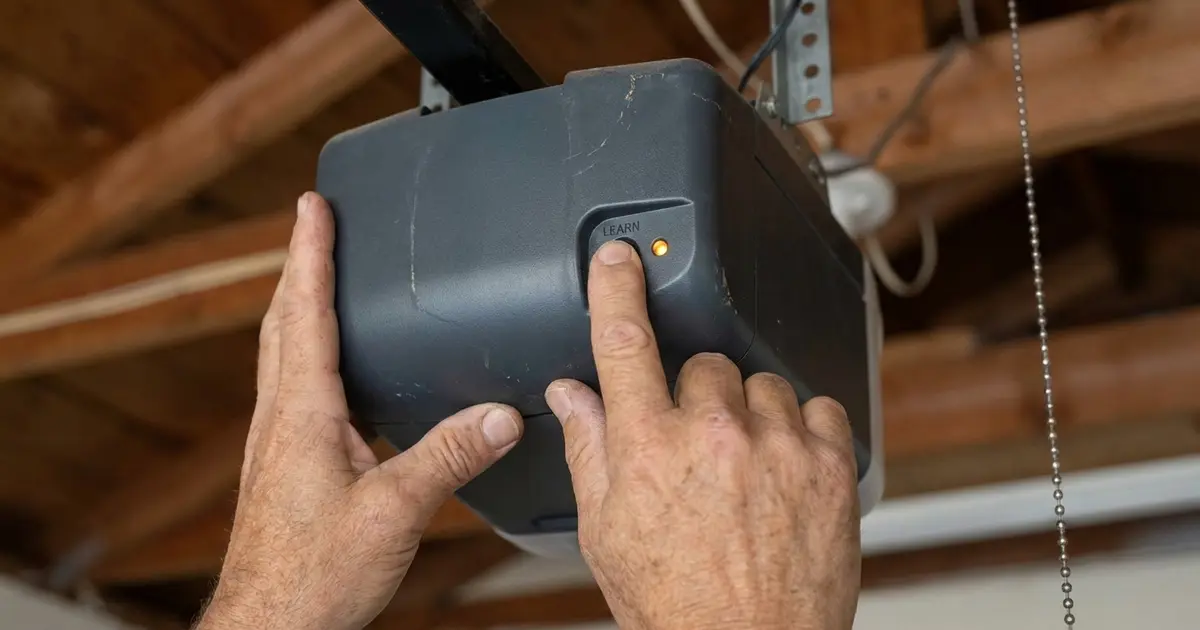
- Access to the opener motor unit — you'll need to press the Learn button, which is on the motor unit itself, not the wall button. You may need a ladder.
- Fresh battery in the remote — a weak battery is the #1 cause of programming failure. If in doubt, install a new battery before starting.
What You Don't Need
- Any tools
- The original remote (you're adding a new one)
- Internet connection (for most systems; smart openers may differ)
- An electrician or technician for standard remote programming
⚠️ Warning: If your opener uses a fixed code (pre-1993, no rolling code), it's a security risk — thieves can capture and replay the signal. Consider upgrading to a rolling-code opener.
Rolling Code vs Fixed Code: The Critical Difference
Understanding which system your opener uses determines the programming method:
Rolling Code (Security+, Intellicode, etc.) — Post-1996
Rolling code technology generates a new encrypted code every time you press the remote button. The opener and remote synchronize on each use so they always expect the next code in the sequence. This prevents code-grabbing attacks (where someone records your remote signal to replay it later).
How to identify: Look for a "Learn" button on the opener motor unit (usually colored yellow, purple, red/orange, or green). All major brands since 1996 use rolling code with a Learn button. If your opener has a Learn button, it's rolling code.
Programming method: Press Learn button on opener, then press button on remote within 30 seconds.
Fixed Code (DIP Switch) — Pre-1996
Fixed code systems use a set of physical switches (called DIP switches) that must be set to the same combination on both the remote and the opener. The code never changes, which makes them less secure — with enough patience, someone can find your 12-bit fixed code (only 4,096 possibilities).
How to identify: Open the back of your remote — if you see a row of 8–12 tiny white toggle switches, it's fixed code. No Learn button on the opener.
Programming method: Match the switch pattern in both devices (detailed below).
MyQ Smart Openers — App + Remote
LiftMaster and Chamberlain's MyQ-enabled openers support both traditional remote programming AND smartphone app control. Remote programming still uses the Learn button method; the MyQ app setup requires WiFi configuration and account creation through the MyQ app.
💡 Pro Tip: After pressing the Learn button, you have exactly 30 seconds to press the remote button. Get in position before you press Learn — don't waste the window running to find your remote.
Finding the Learn Button on Your Opener
The Learn button is on the motor unit (the box on the ceiling), not on the wall control panel. It's typically on the rear, side, or back panel of the motor housing. Common locations by brand:
| Brand | Learn Button Location | Button Color |
|---|---|---|
| LiftMaster (post-2011) | Under the light cover on the back panel | Yellow or purple |
| LiftMaster (1998–2011) | Rear or side panel of motor unit | Yellow or red/orange |
| Chamberlain | Side or rear panel; sometimes under light lens | Yellow or purple |
| Genie (Intellicode) | Side panel of motor unit | Yellow or red/purple |
| Craftsman (Sears, post-1996) | Side or rear panel | Yellow, purple, or orange |
| Linear / Nortek | Side panel | Black or gray |
| Overhead Door | Side panel | Red or yellow |
| Stanley | Side or rear panel | Yellow or black |
Can't find the Learn button? Check: (1) under the light lens/cover — pop it off gently; (2) behind a rubber cap on the back panel; (3) all four sides of the motor unit housing. If there is truly no Learn button, your opener is either very old (pre-1993, fixed code only) or the button may be labeled differently ("Program," "Smart," or "Set"). Consult the model sticker on the opener and search "[brand model] learn button location" for model-specific photos.
Programming LiftMaster and Chamberlain Remotes
LiftMaster and Chamberlain are sister brands (both owned by Chamberlain Group) and use identical programming procedures. This covers the vast majority of US garage door openers installed since 1997.
Standard Rolling Code Programming (All Yellow, Purple, Red/Orange Learn Button Models)
- Locate the Learn button on the opener motor unit. It will be yellow, purple, red/orange, or green.
- Press the Learn button once firmly and release. The indicator light next to it will turn on and stay lit for 30 seconds. This is your programming window.
- Within 30 seconds, press and hold the button on your remote that you want to use for this opener. Hold it for about 3 seconds, then release.
- Wait for confirmation: the opener's lights should flash two times, or you may hear two clicks from the motor unit. This confirms the remote is programmed.
- Test: Press the remote button from normal operating distance. The door should move.
LiftMaster Security+ 2.0 (Purple Learn Button — 2011 and newer)
Same procedure as above. The purple Learn button indicates the newer Security+ 2.0 (315 MHz) protocol — only use remotes labeled "Security+ 2.0 compatible" or "315 MHz" for these openers. Yellow Learn button models use 390 MHz. Using the wrong frequency remote will prevent programming.
Adding Multiple Remotes
Each additional remote requires its own Learn button press. Repeat the process for each remote — press Learn, then press the new remote's button within 30 seconds. Most LiftMaster/Chamberlain openers can store up to 40 remote codes.
Programing a Second Button on a Multi-Button Remote
Multi-button remotes (like the LiftMaster 893MAX) allow each button to control a different opener. Program each button separately: press Learn on Opener 1, then press Button 1 on the remote. Then press Learn on Opener 2, then press Button 2 on the same remote. Each button/opener combination is a separate programming step.
Programming Genie Intellicode Remotes
Genie openers use their proprietary Intellicode rolling technology. The process is nearly identical to LiftMaster but has a slightly different button sequence on some models.
Standard Genie Intellicode Programming
- Locate the Learn button on the Genie opener (side panel, typically labeled "Prog/Set" on older models or "Learn" on newer ones).
- Press and release the Learn button once. The LED indicator will light.
- Within 30 seconds, press the remote button you want to program three times (3 presses, each about 1 second apart). This 3-press sequence is specific to Genie — LiftMaster uses a single press.
- The opener will click or flash to confirm programming success.
- Test from normal distance.
Genie Intellicode 2 (Newer Models)
Newer Genie models with Intellicode 2 use a single button press (same as LiftMaster) rather than the triple-press. If the triple press doesn't work, try a single press. Check your opener's model number and the Genie website for model-specific guidance.
Genie Compatibility Note
Only Genie-branded or Genie-compatible remotes work with Genie Intellicode openers. Some universal remotes also support Genie — verify compatibility before purchasing. Generic or LiftMaster-specific remotes will not program to a Genie opener.
Programming Craftsman Garage Door Remotes
Craftsman (Sears) garage door openers have been manufactured by different suppliers over the years. Post-1997 Craftsman openers are typically made by Chamberlain Group and use the same programming procedure as Chamberlain/LiftMaster. Pre-1993 Craftsman openers use DIP switches.
Craftsman (1997–Present) — Rolling Code
Use the same procedure as LiftMaster/Chamberlain above. Craftsman Learn buttons are typically yellow or orange. Craftsman-branded remotes are compatible with LiftMaster/Chamberlain rolling code openers at the same frequency, so you can also use LiftMaster remotes on Craftsman openers and vice versa (verify frequencies match).
Craftsman (1993–1996) — Transitional Era
Some openers from this transitional period use a hybrid approach — check whether your opener has a Learn button (rolling code) or DIP switches (fixed code) to determine the programming method.
Craftsman (Pre-1993) — DIP Switches
Follow the DIP switch programming instructions in the DIP switch section below.
Note: Craftsman-branded openers are no longer sold at Sears but continue to be used in millions of US homes. Replacement remotes are still available from Chamberlain, LiftMaster, and third-party suppliers for these units.
Programming Universal Garage Door Remotes
Universal remotes are designed to work with multiple brands by supporting different frequencies and code systems. Popular models include the Chamberlain KLIK1U, Genie Universal, Clicker KLIK2U, and various third-party options.
Rolling Code Universal Remotes
- Put the remote in programming mode: hold the button you want to program for 3 seconds until the LED flashes rapidly, then release. The remote is now searching for an opener signal.
- On the opener motor unit, press and release the Learn button. The opener indicator light turns on.
- Immediately press and hold the remote button until you hear the remote beep twice, or until the opener light flashes — indicating successful programming. This may take 10–20 seconds of holding the button.
- Test: press the remote button from normal operating distance. Door should move.
If this doesn't work on the first try, the opener may be using a different protocol. Some universal remotes require selecting the opener brand/frequency via a setup process — consult the universal remote's specific instructions.
DIP Switch Universal Remotes
These match the switch pattern of your existing fixed-code opener. Open both the remote and the opener light cover, find the DIP switch banks in each, and set both to the same pattern. See the DIP switch section below for full instructions.
Compatibility Caution
Not all universal remotes work with all openers. Before purchasing, verify: (1) the remote lists your opener brand as compatible; (2) the operating frequency matches (common frequencies: 315 MHz, 390 MHz, 433 MHz — listed on the opener's label). A non-compatible remote cannot be programmed to your opener regardless of effort.
Programming Car Built-In HomeLink Systems
HomeLink is a factory-installed transmitter in the visor, rearview mirror, or overhead console of many vehicles including BMW, Mercedes, Toyota, Honda, Ford, and others. It acts as a built-in garage door remote with 3 programmable buttons.
Step 1: Clear Existing HomeLink Memory (New Car or Reset)
For a new vehicle or to start fresh: hold the two outer HomeLink buttons simultaneously for 20 seconds until the LED changes from slow blink to rapid blink. Release. Memory is cleared.
Step 2: Train HomeLink to the Existing Remote (for Rolling Code Openers)
- Hold your existing remote 1–3 inches from the HomeLink button you want to program.
- Simultaneously press and hold both the HomeLink button (in the car) and the button on your existing remote.
- Keep holding both until the HomeLink LED changes from slow blink to rapid blink (typically 20–30 seconds). Release both.
- Important for rolling code openers — proceed to Step 3. For fixed-code openers (pre-1996), you're done — test operation.
Step 3: Sync HomeLink to the Opener (Rolling Code — Required)
- Go to the opener motor unit and press the Learn button once. Indicator light turns on (30-second window).
- Return to the car and press the HomeLink button you just trained for 2 seconds, then pause 2 seconds, then press again for 2 seconds, then pause 2 seconds, then press a third time for 2 seconds.
- The opener lights should flash or the door should operate to confirm sync. If not, repeat the 3-press sequence — you must complete it within the 30-second Learn window.
HomeLink Troubleshooting
If HomeLink won't program after multiple attempts: (1) Try training HomeLink from a known-working handheld remote rather than pressing the opener button. (2) Check that the existing remote has a fresh battery. (3) Some older openers with weak signal require the remote held extremely close (touching) to HomeLink during the initial training. (4) Some vehicles require the ignition to be in the ON or ACC position for HomeLink programming to work.
Programming a Wireless Keypad
Wireless keypads mount outside the garage and allow entry without a remote by entering a PIN code. They use the same Learn button programming system as remotes.
Standard Wireless Keypad Programming (LiftMaster, Chamberlain, Most Rolling Code)
- On the keypad, enter your desired PIN (4–8 digits depending on model), then press the Enter or # button.
- The keypad LED will begin flashing, indicating it's in programming mode.
- Immediately go to the opener and press the Learn button once.
- The opener lights will flash to confirm the PIN has been stored.
- Test: enter your PIN and press Enter. The door should operate.
Genie Keypad Programming
- Press and hold the # (pound) button on the keypad for 3 seconds until it beeps.
- Enter your desired PIN and press the Prog button (or #).
- Go to the opener and press the Learn button once.
- Return to the keypad and press # again.
- Test operation.
Changing a Keypad PIN
To change an existing PIN without re-programming from the opener: most keypads have a "change PIN" sequence in their menu. Consult your keypad model's manual for the exact steps — typically involves entering the current PIN, then accessing a "Change" menu, then entering the new PIN twice for confirmation.
Keypad Security Tips
- Use a PIN that isn't your birthday, address, or phone number
- Change the PIN if your keypad has been used by contractors, housekeepers, or anyone who no longer needs access
- Cover the keypad's number pad when entering your PIN — security cameras in your neighborhood could record it
- Some newer keypads have a "rolling PIN" feature (like rolling code for keypads) — this is the most secure option
Programming Older DIP Switch Remotes (Fixed Code)
Fixed-code systems use physical DIP switches that must be identically configured in the remote and the opener. This section applies to most pre-1996 openers.
What DIP Switches Look Like
DIP switches are a row of 8–12 tiny sliding or toggle switches, typically in a white or black housing. They're numbered 1 through 8 (or 1 through 12) and each can be switched to ON or OFF position. The exact combination of ON/OFF switches creates your door's code.
Step 1: Access the DIP Switches in Both Devices
In the opener: remove the light cover or back panel. The DIP switch bank is usually inside the case. In the remote: slide off the battery cover (DIP switches are often visible when the battery cover is open, or may require a small panel to be pried open).
Step 2: Match the Switch Positions
Set the remote's DIP switches to exactly the same pattern as the opener's DIP switches. Use a pen or small flathead screwdriver to move the switches. Switch 1 must be in the same position (ON or OFF) as Switch 1 in the opener; Switch 2 must match Switch 2; and so on for all switches.
Step 3: Test
Reassemble both devices and test the remote from normal operating distance. If it doesn't work, double-check each switch position against the opener's switches — a single mismatched switch prevents operation.
Security Note About Fixed-Code Systems
Fixed-code garage door openers are significantly less secure than rolling code systems. With only 4,096 possible 12-bit codes (and fewer for 8-bit systems), a determined person with a code grabber device can systematically find your code. If you have a DIP switch opener, upgrading to a modern rolling-code opener is worth considering — new openers start around $250 installed and bring security, smart home features, battery backup, and quieter operation. See our opener types guide for a comparison of modern options.
Erasing All Programmed Remotes
Erase all codes when: you move into a previously owned home (previous owners still have working remotes), you lose a remote and can't locate it, or you want to start fresh after programming issues.
For LiftMaster, Chamberlain, Craftsman (Rolling Code)
- Locate the Learn button on the opener motor unit.
- Press and hold the Learn button for approximately 6–10 seconds until the indicator light turns off.
- Release the button. All programmed codes are now erased.
- Re-program your desired remotes and keypads from scratch.
For Genie Intellicode
- Press the Learn button on the opener 3 times within 10 seconds.
- On the third press, hold for 3 seconds until the LED blinks rapidly.
- All codes erased. Re-program as needed.
Important: Erasing codes also removes any smart home integrations, app connections (MyQ, etc.), and programmed keypads. You'll need to re-pair all devices after clearing. This is an intentional security feature — it ensures a complete reset.
Troubleshooting: When Programming Won't Work
| Symptom | Likely Cause | Fix |
|---|---|---|
| Learn button light doesn't turn on | Button not pressing fully; power issue | Press firmly; check that opener has power (light works?) |
| Remote button pressed but no confirmation from opener | Window expired; remote battery; wrong remote | Restart Learn sequence; replace battery; verify remote compatibility |
| Confirmation (flash/click) but door won't operate from remote | Programming succeeded but range issue; obstruction | Test from directly below opener; if it works up close, may be interference |
| Won't program after multiple attempts | Opener memory full (40 codes stored) | Clear all codes (hold Learn 6-10 sec), then re-program fresh |
| Used to work, now doesn't respond | Dead battery; remote dropped and antenna broken | Replace battery first; if still fails, replace remote |
| Works inconsistently (sometimes yes, sometimes no) | Weak battery; LED interference; partial code conflict | Replace battery; try removing LED bulbs from opener unit; re-program remote |
| HomeLink won't sync | Skipped rolling code sync step at opener | Repeat Step 3 of HomeLink programming (Learn button + 3-press sequence) |
| Universal remote won't program | Frequency mismatch; incompatible remote | Verify frequency on opener label; check remote compatibility list; buy correct remote |
| Door opens but won't close with remote | Safety sensor issue (not a remote problem) | Check safety sensor alignment; see sensor troubleshooting guide |
The LED Interference Problem
A documented and common issue: certain LED light bulbs installed in the garage door opener's built-in light socket emit radio frequency noise that interferes with the 315 MHz or 390 MHz signal of rolling-code remotes. Symptoms: remote range suddenly drops from 20+ feet to 2 feet or less; programming works only when you're directly below the opener.
Fix: remove the LED bulb from the opener unit and replace with a standard incandescent or a bulb explicitly listed as "garage door opener compatible" (most major brands sell GDO-safe LED bulbs for $10–$15). This is one of the most common unexplained remote range issues reported by homeowners.
When to Replace the Remote vs Troubleshoot
Replace the remote if: it's been dropped repeatedly (internal antenna can break), the case is cracked or battery terminals are corroded, or it's more than 10 years old and experiencing intermittent issues. Replacement remotes are $15–$45 for OEM (manufacturer-branded) units or $10–$25 for quality aftermarket remotes.
Garage Door Remote Security Best Practices
- Never leave a remote in your car. A remote in a visible or accessible car is essentially a key to your home — if your car is burglarized, your home is immediately vulnerable, even if the burglar doesn't know your address (they can find it from registration papers).
- Use a keychain-size remote instead of a visor clip remote so you carry it with your keys.
- Use HomeLink in your car — the built-in transmitter is more secure than a physical remote since it's built into the car's electronics.
- Change keypad PINs regularly — at least annually, and immediately when access is shared with contractors or temporary guests.
- Erase lost remotes immediately — if a remote is lost, clear all codes from the opener and re-program only your active remotes.
- Consider a smart opener with activity monitoring (like LiftMaster MyQ) — these log every door operation and alert you if the door opens during unexpected hours.
- Use the vacation lock feature on your opener if traveling — most modern openers have a vacation/lock mode that disables all remotes and keypads while maintaining the wall button only.
When to Replace vs. Reprogram Your Remote
| Situation | Action | Cost |
|---|---|---|
| Remote stopped working suddenly | Replace battery first; then reprogram if needed | $1–$5 (battery) |
| Remote dropped or physically damaged | Replace remote | $15–$45 (OEM remote) |
| Added a vehicle and need another remote | Buy and program additional remote | $15–$45 |
| Moved into new home, unknown old remotes | Erase all codes; reprogram new remotes | $0 (just time); new remote optional |
| Lost a remote | Erase all codes immediately; reprogram active remotes | $0–$45 |
| Old opener (pre-1996, DIP switch) | Consider replacing opener for security and features | $250–$600 (new opener, installed) |
| Remote works but inconsistent range | Try LED interference fix; reprogram; if still bad, replace remote | $0–$45 |
DIY vs Call a Pro
✅ 100% DIY — Remote Programming
Standard remote programming, keypad programming, and HomeLink setup are all designed to be DIY tasks. No tools, no technical expertise, and no safety concerns. If you follow the steps above and still can't get it working after 3–4 attempts with a fresh battery and verified compatible remote, call your opener manufacturer's support line — they walk through these issues daily and can diagnose model-specific quirks.
When to Call a Pro
Consider calling a garage door technician if:
- The remote is programming successfully but the door still doesn't operate — the issue is likely with the opener, safety sensors, or door mechanics, not the remote
- The opener doesn't respond at all (no lights, no motor sounds) — possible power issue, board failure, or broken component
- You're replacing an old fixed-code opener with a new rolling-code system — the opener replacement itself requires professional installation (spring work involved)
- You want to add smart home integration (MyQ, HomeKit, Google Home, Alexa) and aren't comfortable with the WiFi setup
For opener issues beyond remote programming, see our opener repair vs replace guide or our how to reset a garage door opener guide.
Professional Service Cost Reference
| Service | Typical Cost |
|---|---|
| Remote programming service call (if needed) | $75–$150 (minimum service call) |
| New opener installation (if upgrading from old fixed-code unit) | $250–$600 (opener + installation) |
| Smart opener integration setup | Often included with opener installation; $50–$100 if standalone |
Find Garage Door Help Near You
If you're dealing with an opener that won't respond to any remote, or need an upgrade to a modern smart opener, local technicians can diagnose and fix opener issues in a single service visit.
- Find trusted garage door pros in Houston
- Find trusted garage door pros in Chicago
- Find trusted garage door pros in Miami
- Find trusted garage door pros in Dallas
- Find trusted garage door pros in Portland
Or browse all cities to find technicians in your area.
Frequently Asked Questions
How do I know if my garage door remote uses rolling code or fixed code technology?
Most garage door openers manufactured after 1996 use rolling code (also called Security+ or Intellicode) technology, which generates a new code every time you use the remote. If your opener was made after 1996 by LiftMaster, Chamberlain, Craftsman (post-1996), Genie with Intellicode, or most other major brands, it almost certainly uses rolling code. Older openers (pre-1993) and some budget openers use fixed code, which uses DIP switches — small physical switches inside the remote and the opener that must be set to the same combination. You can tell by opening the remote or the opener: if you see a row of 8–12 tiny switches, it's fixed code. If you see only a 'Learn' button on the opener and a clean circuit board (no switches) inside the remote, it's rolling code. Rolling code is significantly more secure — fixed code systems can be intercepted and replicated with cheap electronics.
Why won't my garage door remote program?
The most common reasons a remote won't program: (1) The Learn button isn't being pressed correctly — you need a firm press, not just a touch, and it should illuminate a light on the opener for 30 seconds. If no light, the button click may not be registering — try again with more deliberate pressure. (2) The 30-second window expired — you must press the remote button within 30 seconds of pressing Learn. (3) The opener memory is full — most openers store 20–40 remote codes; if yours is at capacity, new remotes won't program until old codes are cleared (hold Learn for 6+ seconds to wipe all codes). (4) Remote battery is too weak — a low battery can transmit just barely enough for normal operation but not for programming; replace the battery and try again. (5) Interference — some LED bulbs in garage door openers cause radio frequency interference that prevents programming; try removing bulbs from the opener unit and retry. (6) Wrong remote for your opener — universal remotes require specific compatibility; verify your opener's brand and frequency against the remote's compatibility list.
Can I program a garage door remote without the Learn button?
If your opener doesn't have a visible Learn button, there are a few possibilities: (1) The Learn button is hidden — on some older Chamberlain/LiftMaster units, it's behind the light cover or on the back panel. Check all sides of the opener unit, including the underside. Some units have a small rubber cover over the Learn button. (2) Your opener uses DIP switches (fixed code system) — there is no Learn button because programming is done by matching physical switches between the remote and the opener. Open the remote to find the DIP switch bank, then locate and match the same switch pattern in the opener unit (usually behind the light cover or on the rear panel). (3) For very old openers without any programming interface, you may need to replace the entire opener — the cost of a new opener ($250–$600 installed) is often worth it for the security, speed, and smart home compatibility improvements.
How do I program a universal garage door remote?
Universal remotes like the Chamberlain KLIK1U, Genie Universal, or Clicker Universal work with most rolling-code and fixed-code openers. Programming steps for rolling-code compatible universal remotes: (1) Put the remote in programming mode — usually by holding the button you want to program for 3 seconds until the LED flashes. (2) On the opener, press and release the Learn button — you'll see or hear a confirmation. (3) Immediately (within 30 seconds) press and hold the remote button until you hear two beeps or see the opener lights flash. (4) Test operation. For DIP-switch universals: open both the remote and your opener to find the DIP switch banks, match the switch positions exactly (both must be identical), close up, and test. If a universal remote doesn't work after following manufacturer instructions, it may not support your specific opener's frequency — check compatibility before purchase. Most reputable universal remotes list compatible opener brands and frequencies on the packaging.
How do I erase all programmed remotes from my garage door opener?
To clear all programmed remotes and keypads from your opener's memory (useful after moving into a new home, losing a remote, or needing to start fresh): Locate the Learn button on the opener motor unit. Press and hold the Learn button for approximately 6–10 seconds until the indicator light turns off or blinks rapidly. Release the button. This clears ALL stored codes — every remote, every keypad, and every smart home connection that was programmed. You'll need to re-program any remotes you want to keep using. This process is the same for LiftMaster, Chamberlain, Craftsman, and most other major brands. For Genie Intellicode openers, the process may differ slightly — consult your owner's manual for the specific sequence. After clearing codes, it's also worth changing your keypad PIN for security, especially if you've moved into a previously owned home.
My car has a built-in HomeLink garage door opener. How do I program it?
HomeLink is a built-in radio frequency transmitter installed in the visor, rearview mirror, or overhead console of many vehicles. Programming HomeLink to your garage door opener: (1) Clear existing HomeLink memory if needed: hold the two outer HomeLink buttons simultaneously for 20 seconds until the LED flashes rapidly. (2) Hold the handheld remote transmitter 1–3 inches away from the HomeLink buttons you want to program. Simultaneously press and hold both the HomeLink button and your garage remote button until the HomeLink LED changes from slow blink to rapid blink (typically 20–30 seconds). Release both. (3) For rolling-code openers (post-1996), there's an additional step: go to the opener motor unit, press the Learn button once, then return to your car and press the programmed HomeLink button for 2 seconds, pause, press again for 2 seconds — repeat 3 times. The opener lights should flash or the door operate to confirm. (4) Test by pressing the HomeLink button. If it doesn't work on first try, the rolling-code step above is the most commonly skipped part — repeat step 3.
How long does a garage door remote battery last, and what battery do I need?
Garage door remote batteries typically last 1–3 years with average use (2–6 door activations per day). Signs of a weak battery: reduced range (must be closer to the opener to work), intermittent operation, or the remote takes multiple button presses to operate. Most garage door remotes use one of these battery types: CR2032 (3V coin cell) — the most common type for modern slim remotes; 23A or 27A (12V small alkaline) — common in older LiftMaster and Chamberlain remotes; A23 — same as 23A, different labeling; N (1.5V) — less common, found in some Genie remotes; AA or AAA batteries — found in larger, older-style remotes or multi-button remotes. Check the back of your remote for a battery cover, and the existing battery will show the model number. Replacement batteries are available at any hardware store, home improvement center, or online for $1–$5. Always replace with the exact battery type specified — using a substitute voltage can damage the remote's electronics.